
Internships and Erasmus+ · For tutors and students
Internship tracking platform for tutors and students
Students clock in, upload their tasks and see their calendar. Their school tutor follows them from a dashboard of their own, reviews what has been handed in and marks exams and holidays. At the end, a certificate with the real hours that anyone can verify. All inside Zaliza OS, the app we work with every day.
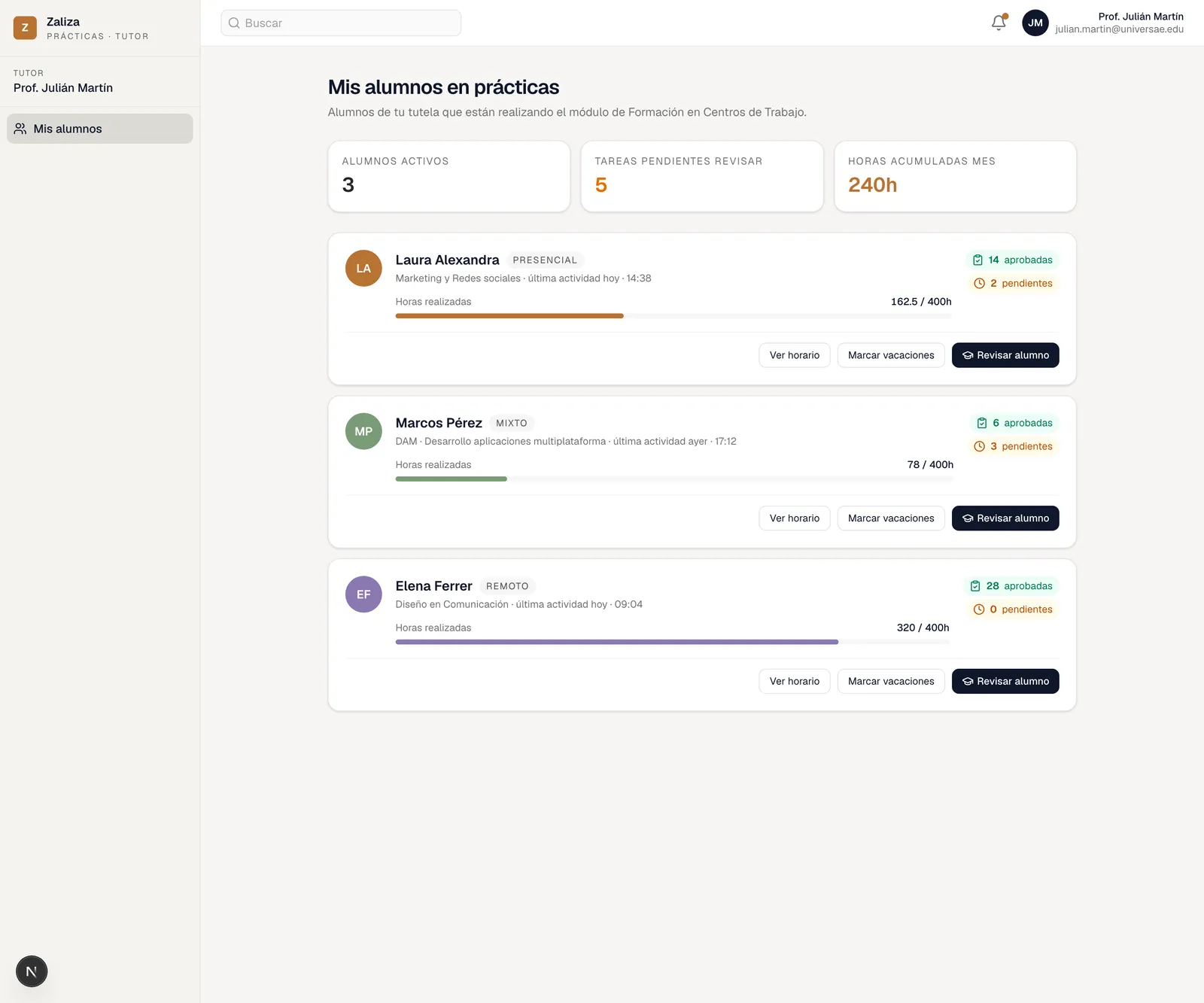
The screenshots show the app's Spanish interface, with sample data.
For the school tutor
What you see from school, without phoning to ask
The VET tutor or Erasmus+ coordinator logs in with their own account and only sees their own students. No need to wait for the end-of-month follow-up sheet to know how each one is doing.
All your students on one dashboard
At the top, active students, tasks waiting for review and hours logged this month. Below, a card per student with their course, their mode and how many of the required hours they have done.
- Hours completed against the total, with a progress bar
- Each student's approved and pending tasks
- On-site, hybrid or remote mode, and latest activity
Each student's hours and tasks
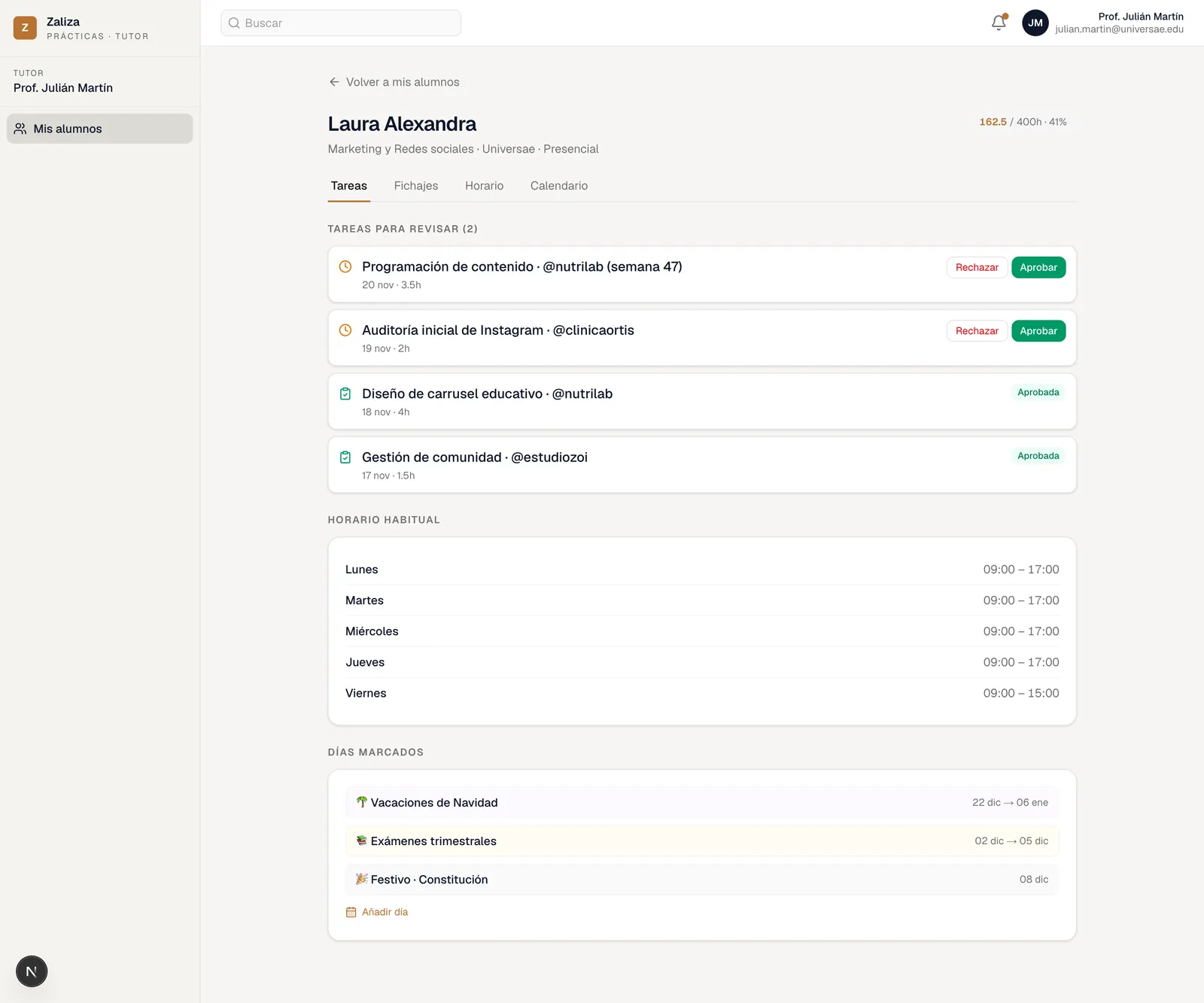
Inside each student there are four tabs: tasks, clock-ins, timetable and calendar. Tasks arrive with their date and hours, and are approved or rejected. A rejection comes with a written reason, which is what the student sees in order to fix it.
- Day-by-day clock-in record, with start and finish
- Task review: approve, or reject with a reason
- The student's usual timetable, at a glance
A school calendar you fill in
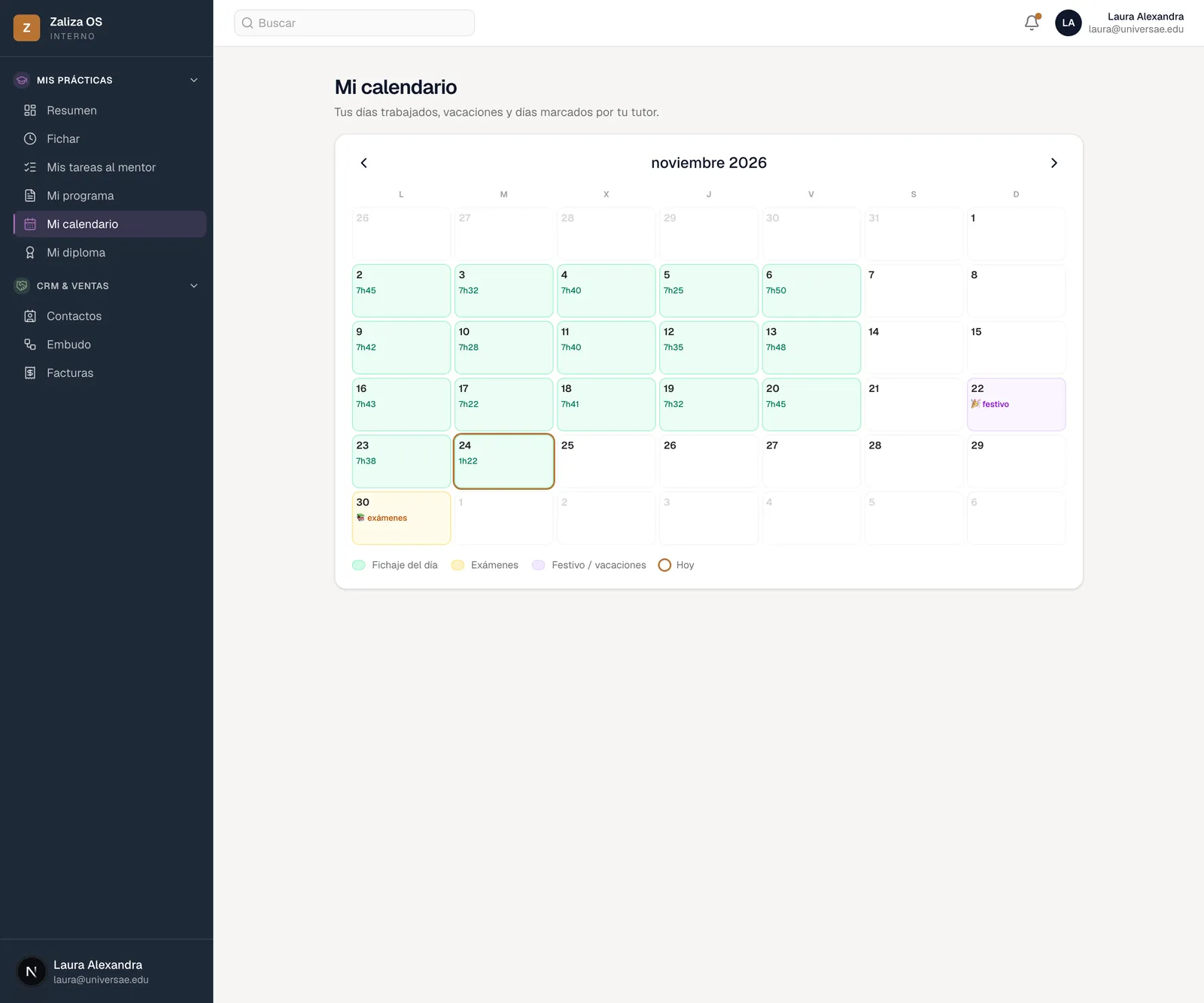
Exams, bank holidays and holidays are marked from the tutor's dashboard and show up straight away in the student's calendar. Nobody has to remember to mention that there's an exam on Friday: it's already there.
- Exam periods, bank holidays and holidays
- Students see them next to the days they worked
- One calendar for the school, the student and the company
For the student
What you use every day
No signing sheets and no noting hours down in a notebook. What you do is recorded as you do it, and in the end it counts.
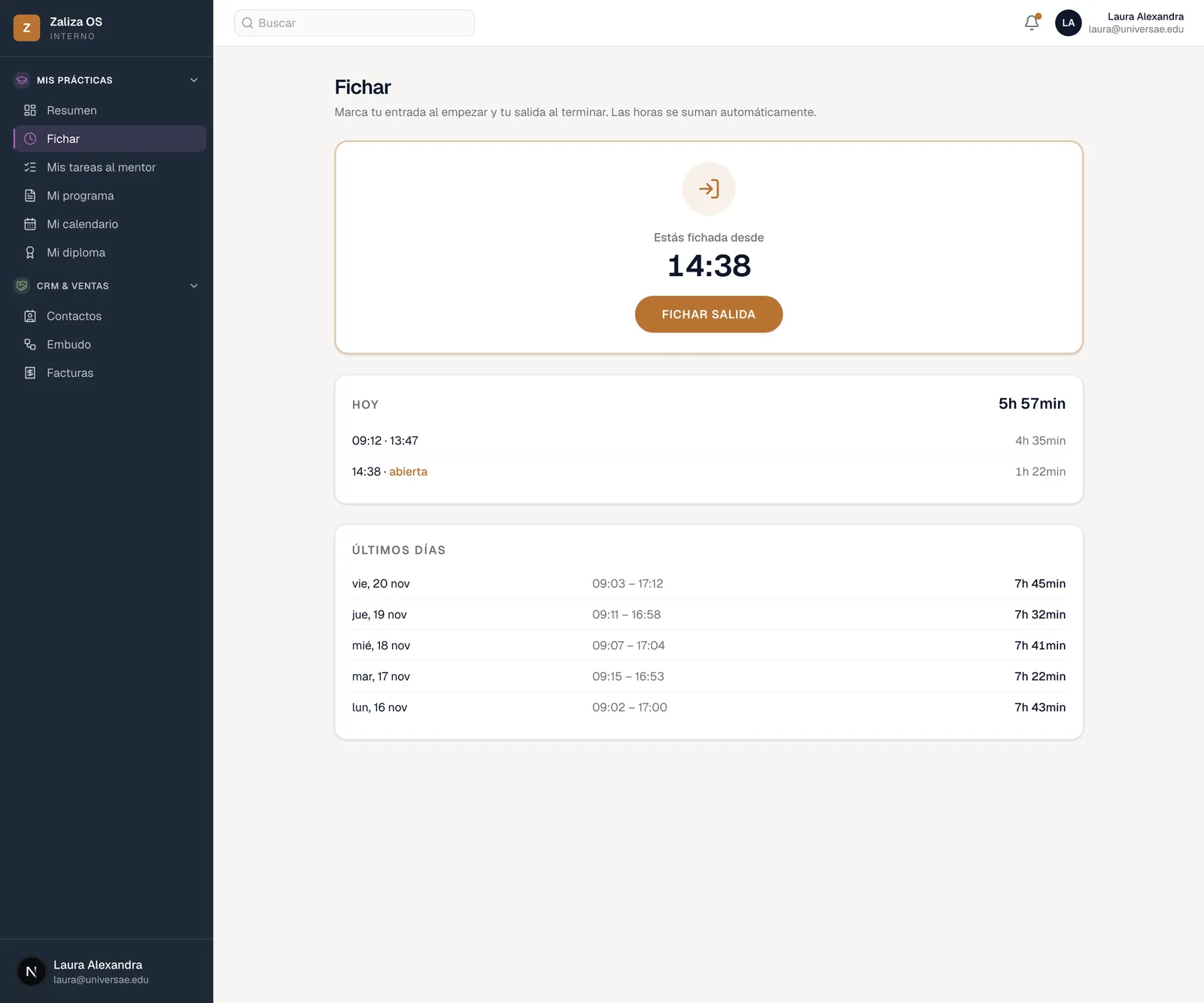
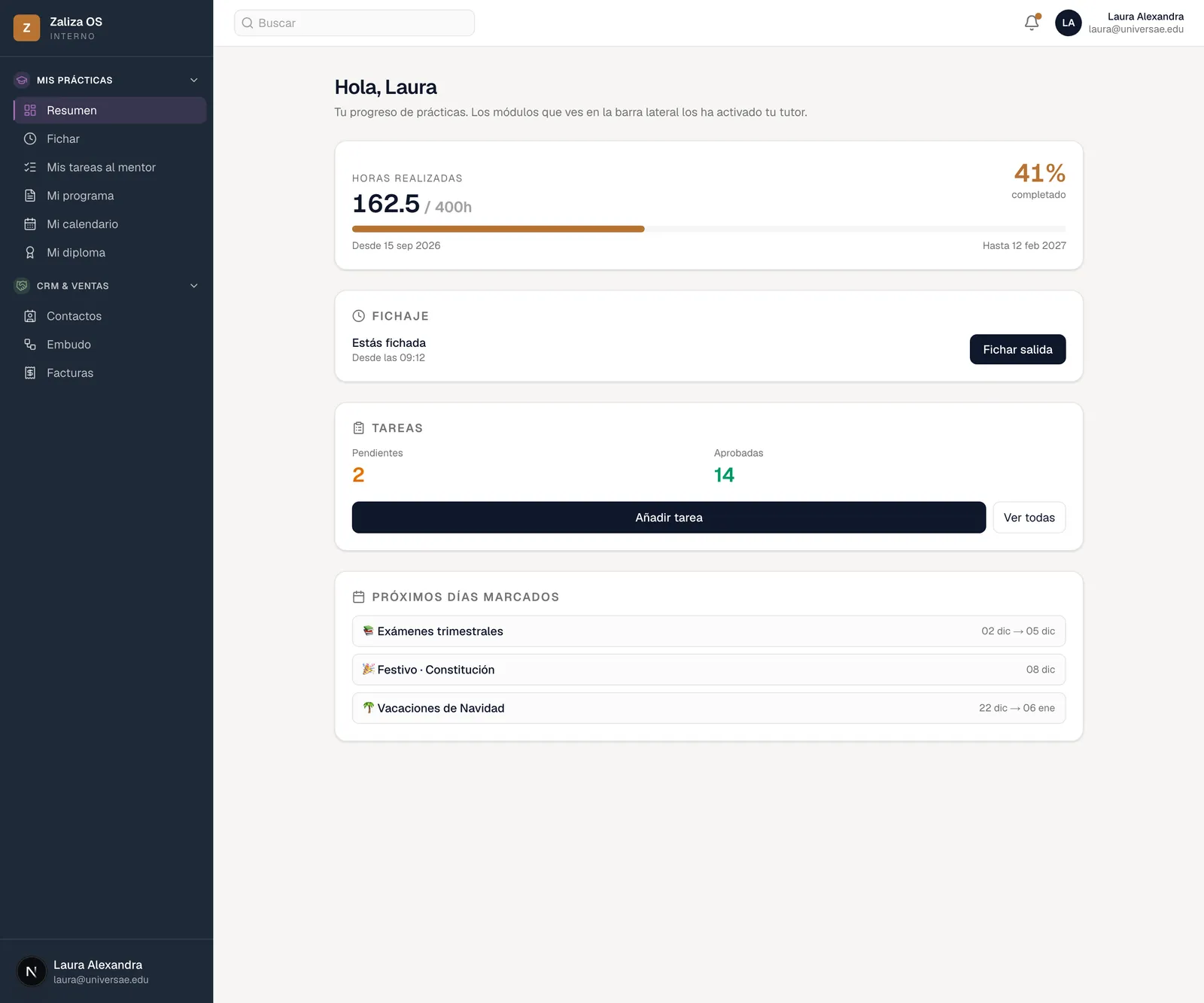
Clock in and clock out
One button when you arrive and another when you leave. Hours add up on their own, split days included, and the total of your internship updates without filling anything in.
- Today's time slots and how long you've been in
- Your last few days, with start, finish and total
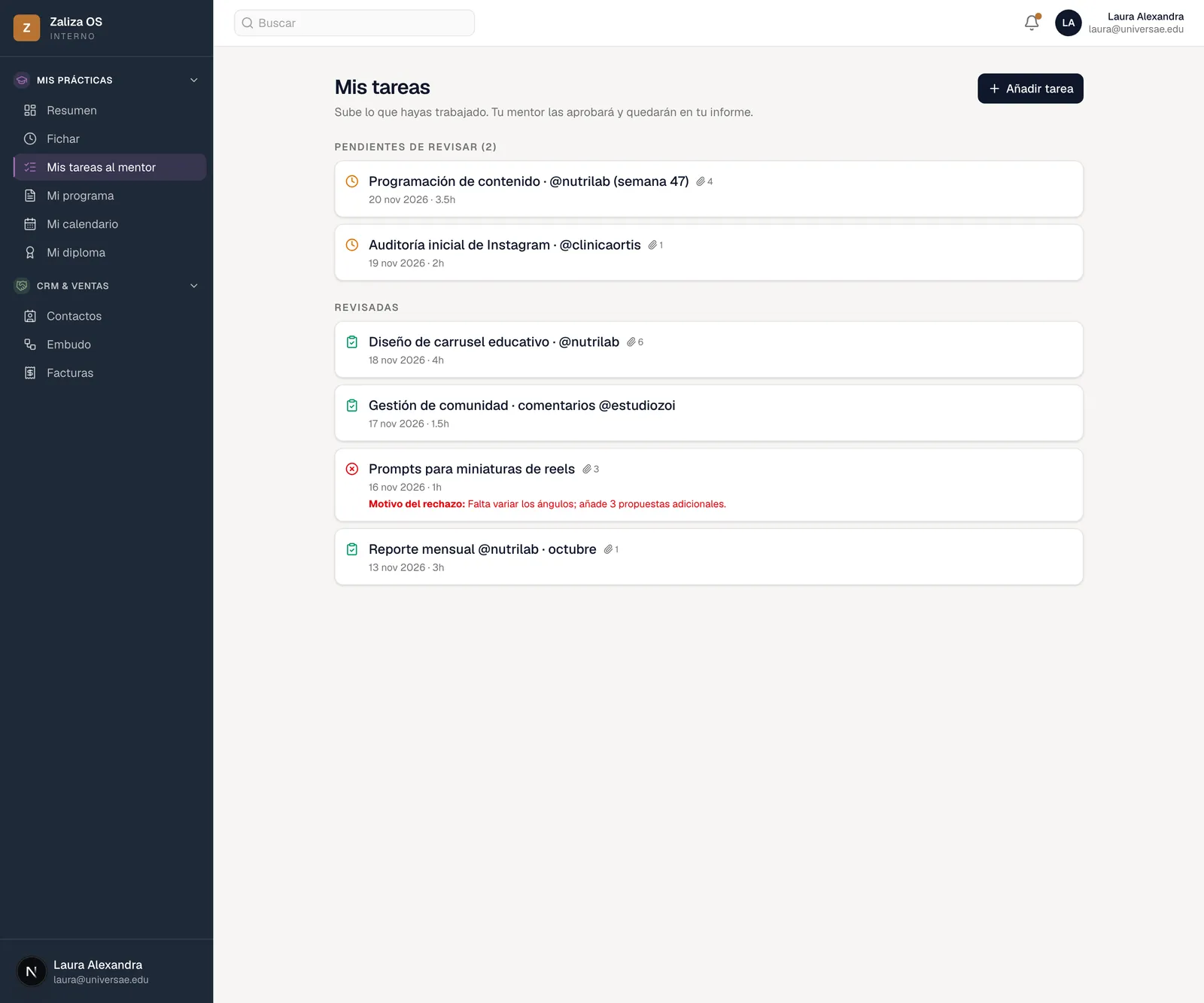
Upload what you've done
Each task goes up with its date, its hours and whatever files it needs. Your tutor reviews it: if approved, it goes into your report; if sent back, you're told why.
- Waiting for review and reviewed, kept apart
- The reason for a rejection, in writing, so you can fix it
Inside the app, as one of the team
It isn't a separate student portal. You log into Zaliza OS, the same app all of us work with, with the modules for your area switched on: the CRM, the sales pipeline, invoicing. You learn with the real tool, not an internship copy of it.
- Your progress: hours done, percentage and dates
- Tasks, clock-in and upcoming marked days in your overview
When you finish
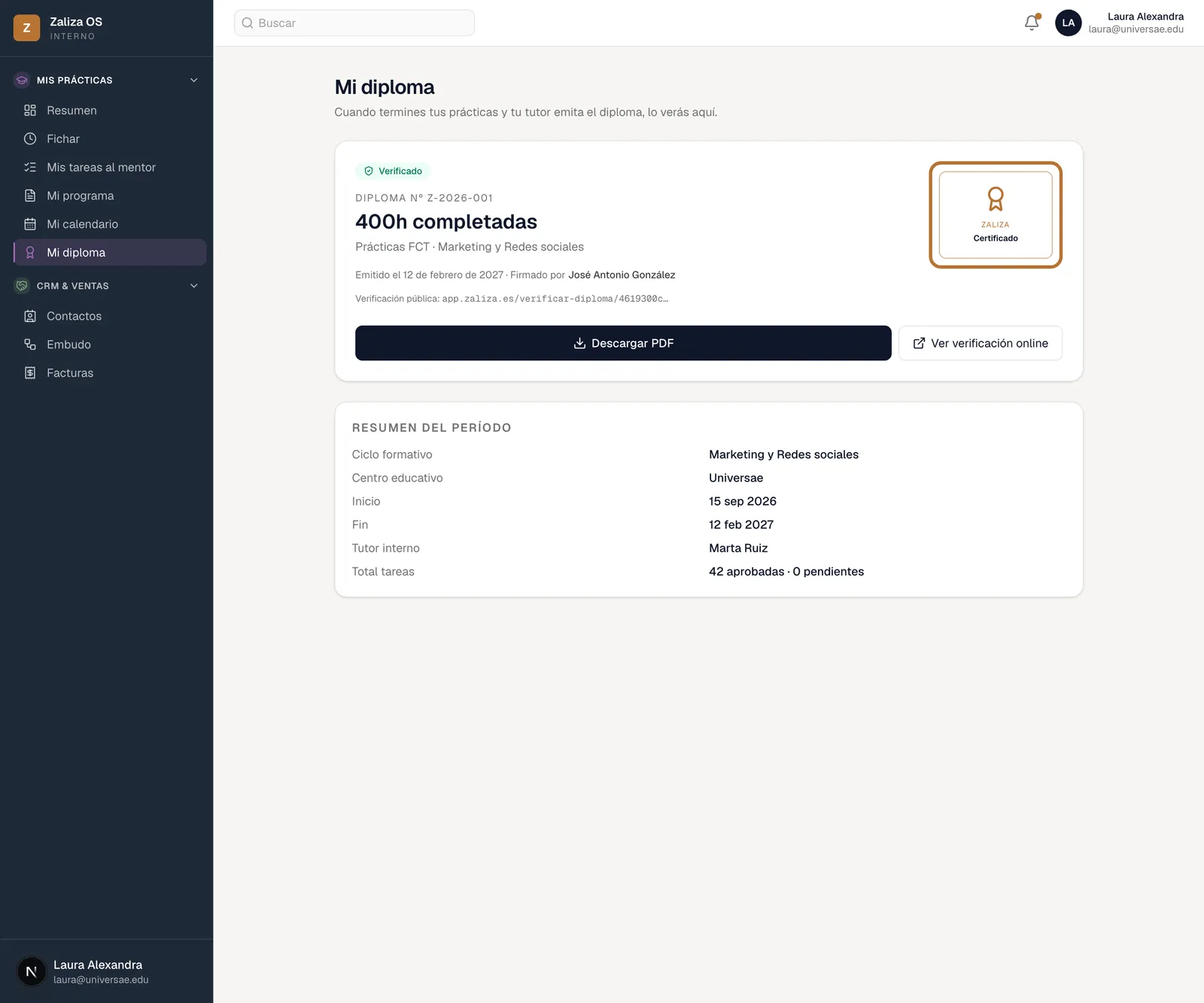
A certificate that can be checked
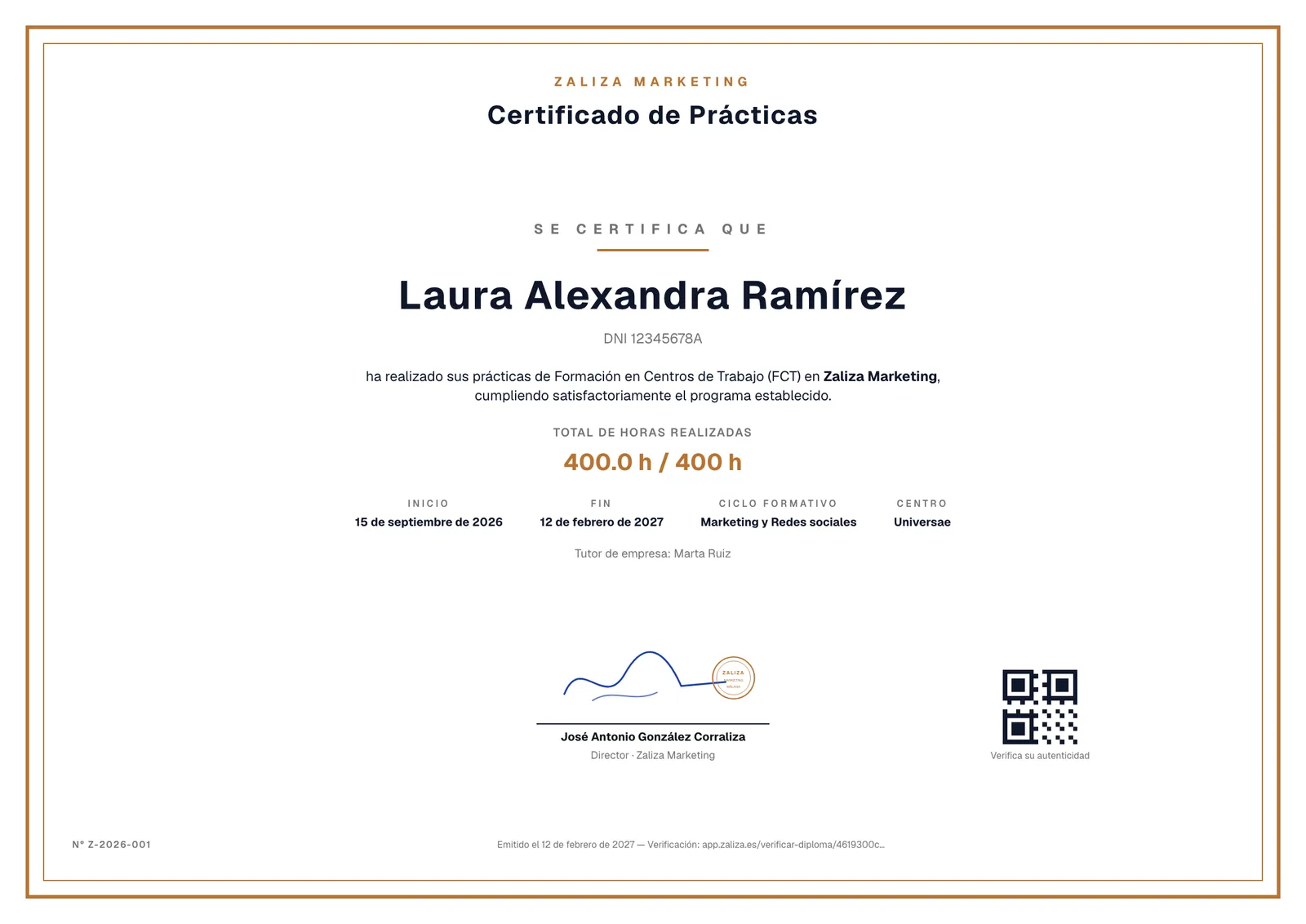
When you finish, you get the certificate of your internship at Zaliza: hours completed, start and end dates, course, school and company tutor, signed and with its own number. It downloads as a PDF.
It carries a QR code and a public verification address. Whoever receives it —your school, or a company at your next interview— can check it's genuine without having to call us.
It comes on top of your school's official documents and the Erasmus+ Traineeship Certificate, which we still sign as usual; not instead of them.
Are you a tutor or a coordinator?
If you're about to put a student forward and want to see the platform first, write to us and we'll show it to you.
Or write to us directly at practicas@zaliza.es